
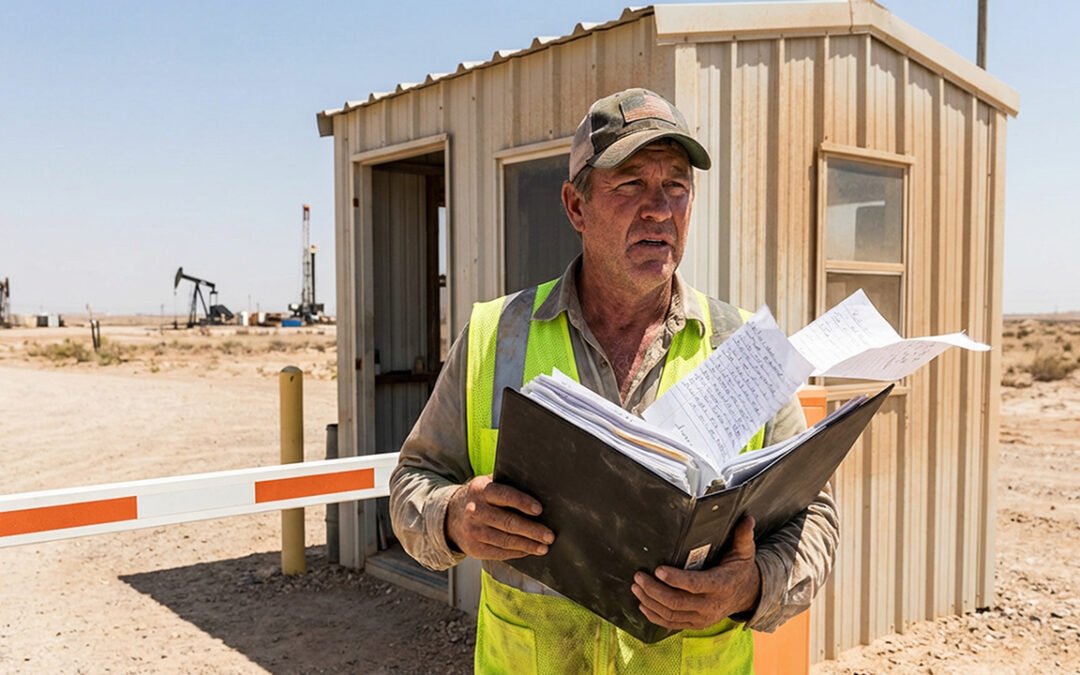
Paper logbooks are still the default at many staffed gates—but they’re also one of the easiest places for details to get missed. And when something goes wrong (or an audit happens), “we think we have it written down” isn’t good enough.
Digital gate logs are becoming the new standard because they make gate check-ins consistent, searchable, and easier to report on—especially across shift changes, busy entry windows, and multi-site operations.
In this article, you’ll learn:
- Why paper gate logs fail under real-world conditions
- What a “digital gate log” actually is (and what it isn’t)
- What to capture at the gate to make logs audit-ready
- A real-world example from Workamper gate guarding in the Permian Basin
Want to see what a digital gate workflow looks like in practice? Visit: https://safesitecheckin.com/security-gate-guard-access-control/
The real problem with paper gate logs isn’t paper—it’s inconsistency
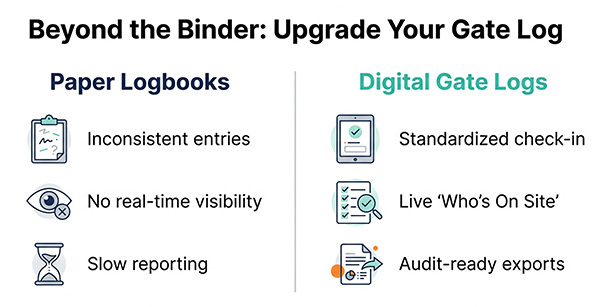
Paper logs don’t break because someone forgot to write something down once. They break because they can’t reliably produce the same record, the same way, across different people and shifts.
Common failure points:
- Shift changes create gaps and confusion (“Who wrote this?” “What happened overnight?”)
- Different guards capture different details (plates, DOT numbers, company names, or none at all)
- Handwriting and missing fields reduce trust in the log
- Audits and incident reviews take too long because paper isn’t searchable
When the log isn’t consistent, it stops being a useful operational record—and turns into a liability.
What a digital gate log does differently (and why it matters)
A digital gate log isn’t just a paper form on a screen. It’s a repeatable workflow that helps your team capture required information consistently—no matter who is on duty.
A standard gate check-in workflow
- A practical, repeatable flow usually looks like this:
- Confirm who is requesting entry
- Capture the required details (visitor, vehicle, purpose)
- Record timestamps and notes/exceptions
- Maintain a reliable entry/exit history you can search later
This is the difference between “we have a log” and “we have a system.”

Searchability and reporting when it matters most
When leadership asks for documentation, or an incident needs review, a digital log helps you move from “we’ll look through the binder” to “here’s the record.”
Digital logs support:
- Faster lookups
- Cleaner reporting
- More reliable audit documentation
Real-time “who is on site” visibility
Gate logs shouldn’t only be useful after the fact. They’re also your front door to real-time accountability.
A digital approach makes it easier to answer:
- Who is on site right now?
- Which vendors/contractors are currently active?
- Which vehicles entered today?
What to capture at the gate (a practical checklist)
Every site has different requirements—but most staffed gates benefit from capturing a consistent core set of details. A best-practice gate log often includes:
- Visitor/driver name and company
- Purpose of visit and destination
- Host/contact (when applicable)
- Time in and time out
- Vehicle details as needed (make/model, license plate)
- Notes/exceptions (denied entry, unusual circumstances, incident flags)
- Acknowledgements (optional): site rules or safety notices if required
Key takeaway: Don’t try to capture everything. Capture what your site requires—consistently, every time, across every shift.
Why digital gate logs are becoming the standard across industries
Staffed entrances show up everywhere—and so do the same operational problems when logs aren’t reliable.
Digital gate logs are a strong fit for:
- Construction sites: constant vendor flow, changing crews, deliveries
- Industrial and energy: remote locations, strict site rules, 24/7 coverage
- Disaster recovery: controlled perimeters and documentation-heavy access
- Facilities and property: repeatable visitor/vendor entry control
If you want an example of how access control changes in high-pressure environments, this is a useful read: Disaster Site Access Control
Gate guarding in the Permian Basin: what the Workamper lifestyle reveals about modern gate operations
To understand why digital gate logs matter, look at remote oil and gas regions like the Permian Basin, where gate coverage is often 24/7 and sites can be far from basic services.
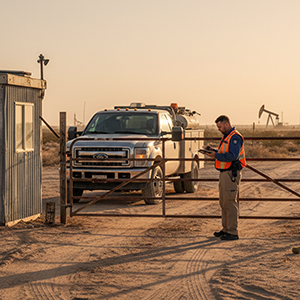
In this environment, gate guarding is primarily about access control and detailed logging—not patrol. The core job is to monitor a single entrance/exit and consistently record details that prove who came and went. That often includes:
- entry/exit time
- company name
- driver credentials
- vehicle identifiers (including DOT numbers when required)
- purpose of visit
A staffing reality also stands out: many of these roles are well suited to couples or teams (including Workampers) who split long coverage windows. Traffic can be quiet for long stretches, then suddenly busy—meaning consistency matters even more. It’s easy to get casual when it’s slow, and easy to miss details when it picks up.
Remote site conditions make paper logs even harder:
- Dust, heat, and daily wear degrade binders and notes
- Shift handoffs can’t afford gaps when coverage never stops
- Connectivity may be limited, so the process has to be simple and reliable
A digital gate log supports the reality of the work: keep the process consistent, reduce missed details, and make it easier to produce a clean record without relying on a binder that won’t hold up.
For additional context on the gate guarding role (from the Workamper community): Gate Guarding Jobs for Workampers
What to look for in a digital gate log system (buyer checklist)
If you’re evaluating tools, prioritize capabilities that protect consistency and accountability:
- Standardized data capture (so every shift logs required details)
- Fast check-in workflow (so busy gates don’t back up)
- Shift continuity (so handoffs don’t create gaps)
- Searchable logs (so you can find entries quickly)
- Exportable reporting (so audits and client reporting are straightforward)
- Real-time “who’s on site” visibility (so you know who’s present when it matters)

Where Safe Site Check In (SSCI) fits
SSCI helps staffed gates and checkpoints replace paper logbooks with a consistent digital workflow—supporting digital access logs, real-time “who’s on site” visibility, and reporting that’s easy to share.
Explore the solution: https://safesitecheckin.com/security-gate-guard-access-control/
You can also explore related solutions and resources:
Conclusion: the new standard is simple—make the log reliable
The gate log is one of the most important records your site creates. If it’s inconsistent, hard to read, or hard to report on, it becomes a liability instead of an asset.
Digital gate logs are becoming the standard because they make gate check-ins consistent across shifts, improve accountability, and produce records that hold up when an audit—or an incident—demands proof.
Ready to move beyond the binder? See how SSCI supports staffed gate workflows with digital access logs, real-time on-site visibility, and reporting that’s easy to share.
Frequently Asked Questions
What is a digital gate log?
A digital gate log is an electronic record of site entries and exits. It helps standardize what gets captured at the gate, makes records searchable, and simplifies reporting compared to paper logbooks.
What should a security gate log include?
Most sites capture visitor/driver identity, company, purpose of visit, destination/host contact (if applicable), time in/time out, vehicle details as needed, and notes for exceptions or denied entry.
What is gate guarding?
Gate guarding is the job of controlling access at a staffed entrance or checkpoint and maintaining accurate records of who enters and exits the site, often including vehicle and credential verification.
Why do paper gate logs fail during shift changes?
Paper logs often become inconsistent across different people and shifts. Missing fields, handwriting issues, and unclear handoffs make records harder to trust and harder to use during audits or incident reviews.
Is digital gate logging the same as physical access control hardware?
No. Physical access control is hardware like barrier arms, turnstiles, or badge readers. Digital gate logging is the workflow and recordkeeping layer that documents entry/exit activity and supports reporting and accountability.

Our Safe Site Check In web app can Make Jobsite Management Easy™. SSCI automates check-in with safety screening, badging, onboarding and daily log creation. Our solution has been used on thousands of sites for millions of screenings in construction and other industrial worksites by thousands of employees and visitors every day. Used worldwide, built and supported in the USA.