
See How Safe Site Check In Works for Easy Jobsite Check-In
Eliminate jobsite entry delays with zero-friction mobile check-ins and reusable QR badges that work on any smartphone with no apps required to download.
Safe Site Check In is a digital check-in platform that allows field workers to check into jobsites via smartphone QR scans or reusable badges while automatically feeding attendance and compliance data to site supervisors.
How does the Safe Site Check In process work?
Safe Site Check In uses site-specific QR posters or digital badges. Workers scan the code using their smartphone camera, answer required custom screening or safety prompts in their browser without downloading an app, and complete check-in. Attendance and entry data automatically sync to the site dashboard in real time.
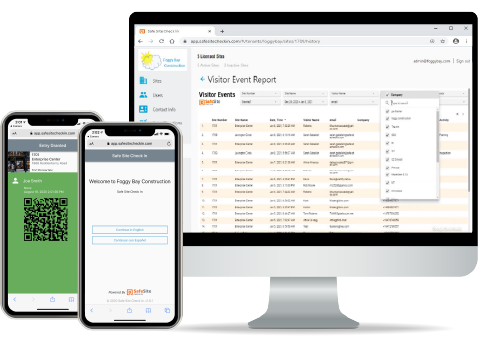

Quickly Start Automating Daily Logs in Minutes with No Software to Download and No IT to Set Up

Sign Up for Your Free Trial
Sign up for for your free trial and receive 30 days access to our jobsite management application plus a 20-minute free consultation. An email with trial instructions will be sent to help you get started.

Get Your Unique QR Code
The platform instantly creates a poster with a unique QR code, your company logo, address, and check-in instructions for each site. Or you can onboard and badge workers onto a project and they check in like boarding an airplane.

Download, Print, and Post
Download, print, and post the QR code poster or badge at the entrance to your site and immediately start screening visitors and employees. It’s fast, easy, and .
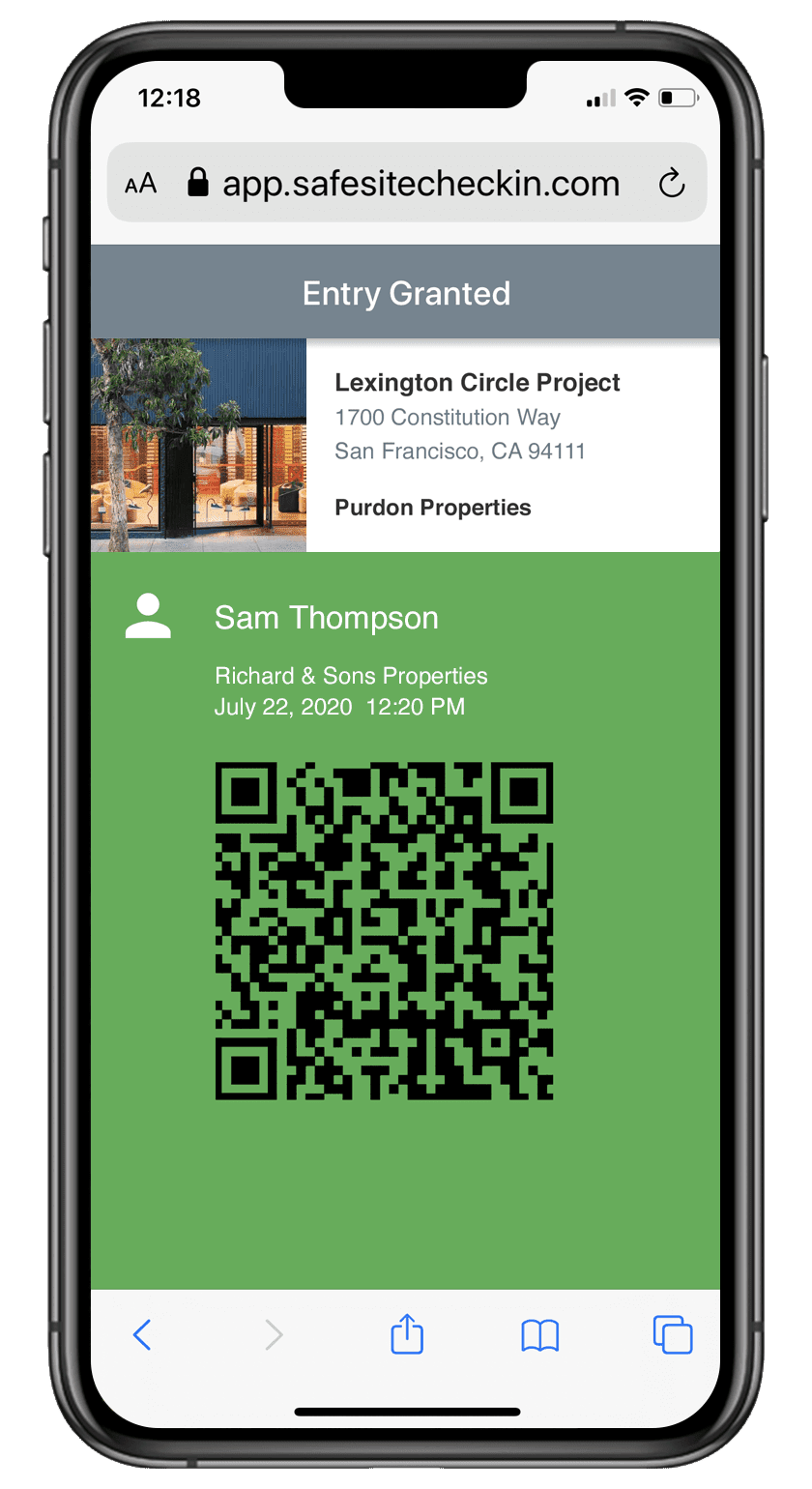
Quick and Easy On-Site Check-In
Visitors scan your QR code with their smartphone’s camera to check in. Or use a personal QR badge and be scanned in by the site supervisor’s phone, tablet, or mobile device.
Questions
Along with their contact info, visitors answer a series of customizable screening questions.
Evaluation
Safe Site Check In evaluates visitor’s responses.
Access
Visitors who are granted access are issued an electronic badge – their own verifiable QR code. Onboarded workers optionally receive a QR badge that is scanned onsite.
Storage
Visitor personal health information is only stored on their device.
Comprehensive Multi-Site Awareness
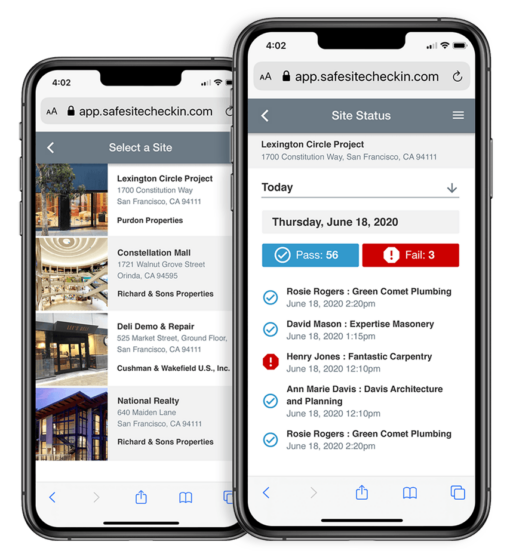
Easily manage multiple locations, check-in logs, dashboards, and more
Notifications
As visitors are granted or denied access, managers are instantly notified.
Monitor
Easily monitor check-ins at multiple locations and view visitor logs.
Verify
A visitor’s access can always be verified.
Reporting
Site administrators have access to various custom reports for unique needs.
Product FAQ
Do workers or visitors need to download an app to check in?
No. Safe Site Check In requires zero software or app downloads. Workers and visitors simply open their smartphone camera, point it at the jobsite QR code poster, and complete check-in directly through their web browser in seconds.
How do digital worker badges work for jobsite check-in?
Digital badges give onboarded workers a personal QR code stored on their phone or printed on a physical card. Supervisors scan the worker’s badge using any mobile device or tablet to check them in instantly, functioning like a digital boarding pass
How does Safe Site Check In automate construction daily logs?
As workers scan in, headcount, arrival times, subcontractor details, and safety prompts are captured automatically. This real-time entry data populates your site dashboard instantly and syncs directly with construction management software like Procore to eliminate manual daily log entries.
Can we customize jobsite screening questions and safety forms?
Yes. Site administrators can customize check-in questions, capture digital signatures, and attach safety forms like JHA, JSA, or PTP protocols. Questions can be tailored for specific sites, roles, or project requirements to ensure compliance.
What languages does the jobsite check-in system support?
Safe Site Check In natively supports English and Spanish. When scanning the QR code, workers can instantly switch to their preferred language on their mobile screen, ensuring complete comprehension of safety prompts and site guidelines.
Quick and Simple Check-In Process that is Easy to Use for Everyone

Ease of Use
Deploys in less than 5 minutes with no training, apps, or software to install

Privacy & Security
HIPAA and PCI Compliant with strong security using the Google Cloud Platform

Multi-Language
User preferences that allow navigation of the tool in either English or Spanish

Customizable
Configured for each site or tenant with unique requirements and no user limits

Real-Time Notifications
Shares who is on-site, when, how long, and with what company in just minutes

Rich Analytics
Improves managers’ business operations with real-time, reliable data reporting
Discover How Simple It Is
Try It Yourself

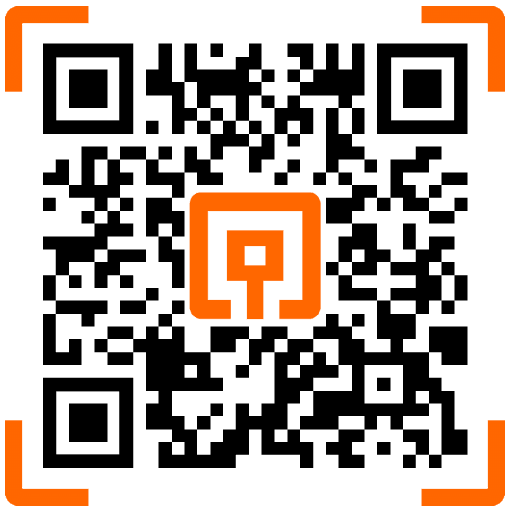
Open the camera on your smartphone

Point your phone at the QR code shown here

Receive a prompt, and start the check-in process
Scan, Tap, or Click the QR Code below
More Product Information
New Features
Check out our new features such as worker QR Badges, Configurable Host Notifications, Check-out with Injury, and more.
Demo Videos
Watch demo and tutorial videos about Safe Site Check In’s cost-saving and jobsite management features on our Youtube Channel.
Latest Version Info
Read more about our latest version updates and additional exciting new app features on our customer support page.