
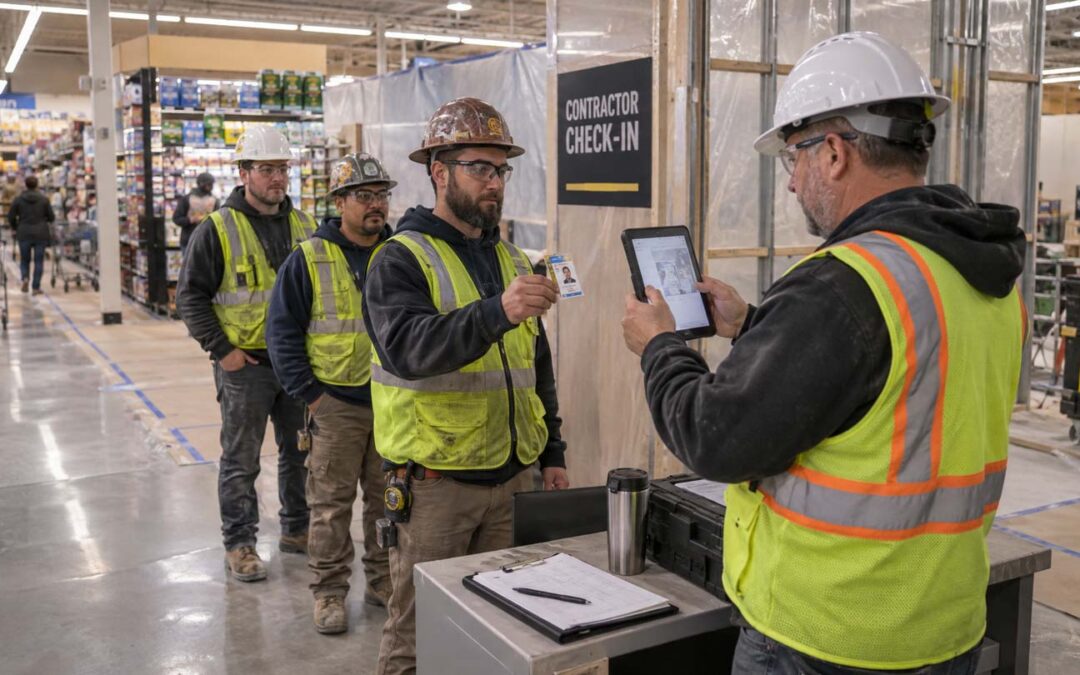
Managing big box retail renovations today requires more than a sign-in sheet. GCs need to connect worker rosters and site-specific badges with daily check-in records, while keeping required verification steps separate and accountable. Workers need to be identified, legally employed and safety oriented.
For general contractors managing store renovations nationwide, those responsibilities repeat across every location, crew, and schedule. Each retail jobsite needs a dependable process for worker onboarding, internet access, badging, check-in and out, and daily reporting. And an efficient digital check-in process makes yout firm more competitive and profitable.
What Walmart’s contractor requirements mean for the GC
Safe Site Check In (SSCI) meets Walmart’s GC store construction requirements at Walmart jobsites across the country. Their Worker Verification process requires roster presentation before arrival with all worker data connected to site-specific badges. For the GC, those requirements translate into several connected responsibilities:
- Complete verification before issuing badges. The supplied requirements call for employment authorization checks and safety prequalifications, along with the primary contractor’s compliance in applicable safety verification systems such as ISNetworld.
- Submit worker information before arrival. Advance rosters give store managers a record of the personnel expected on site.
- Match the worker to the badge. Daily check-in includes comparing an unexpired government-issued photo ID with the name on the assigned contractor badge.
- Apply the process to every subcontractor tier. Obligations do not disappear because another subcontractor brought them onto the project.
- Keep access within the assigned work area. A contractor badge is not permission to enter employee-only spaces or secure inventory areas.
- Any screw-ups may mean removal from the property, potential work stoppages and or contractual penalties if workers are unbadged, unverified, or carrying mismatched identification.
Want to be competitive for retail construction? Digital check-ins are an operational necessity.
Where the process gets difficult: changing crews, short shifts, and multiple stores
Consider an overnight store renovation. One subcontractor is finishing its work while another crew arrives to start the next phase. Several workers are returning; others are new to the project. The shift will continue past midnight.
Before work begins, the site team needs to answer practical questions:
- Are the arriving workers on the expected roster?
- Have the required verification steps been completed?
- Does each worker have the correct badge for this site?
- Does the identification presented match the badge?
- Who has checked in, and who has already left?
A paper log may record a name and arrival time, but the superintendent still has to connect that entry to the right company, roster, and badge information. Handwritten names and separate spreadsheets make that reconciliation harder. What if the name is unreadable?
Across a nationwide renovation program, inconsistent processes add another layer of work. One store may collect company names differently from another. A traveling superintendent may inherit a different reporting routine for store managers at each location. Project managers then have to reconcile those differences to understand who worked where and when.
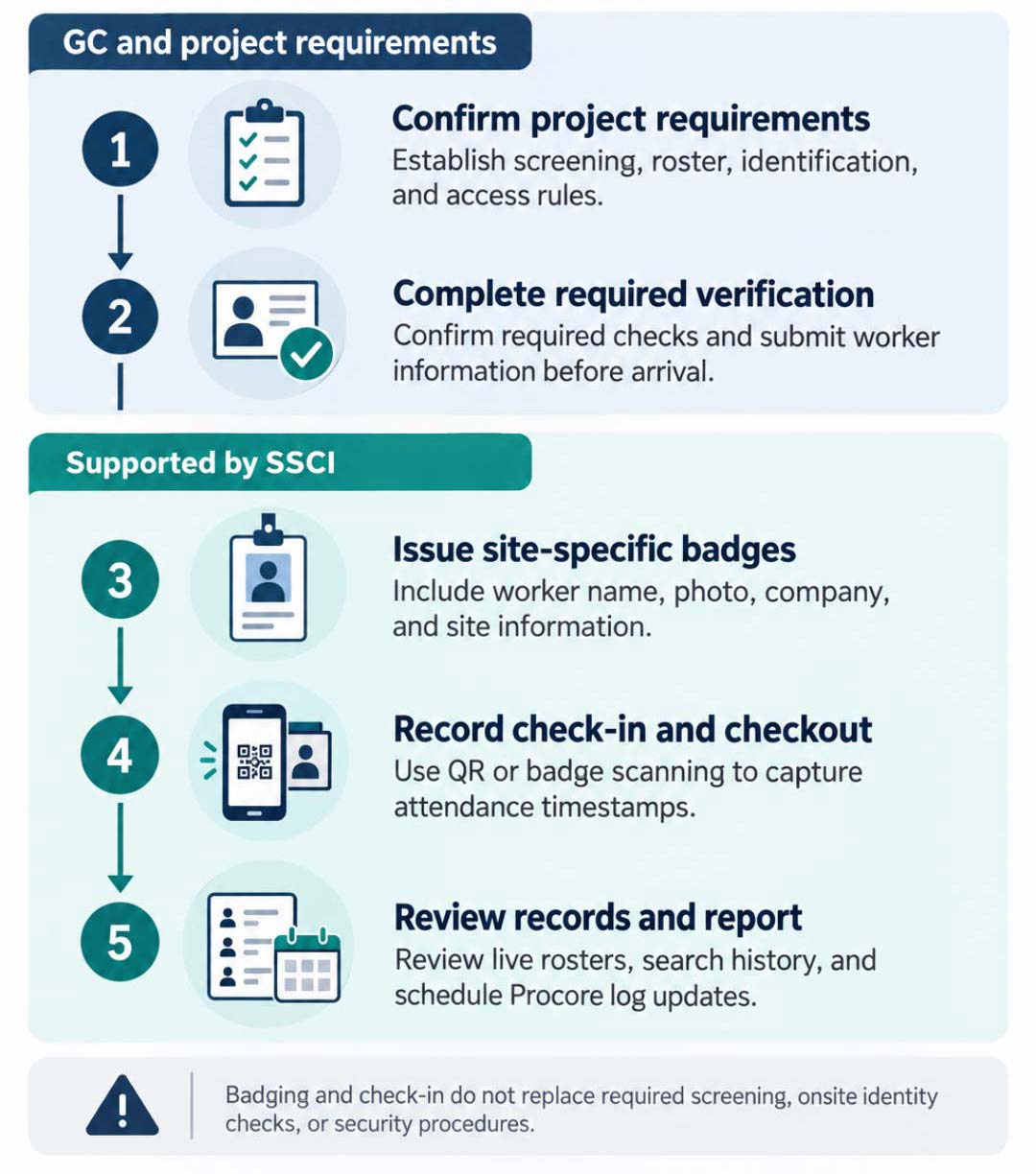
From Worker Verification to Daily Reporting
A practical workflow for big box retail renovations
(Click image to enlarge)
Standardize badges without ignoring site-specific requirements
SSCI’s repeatable badging process helps GCs avoid rebuilding the same workflow at every store.
SSCI supports digital and printed badges containing a worker’s name, photo, company, and location or site information. Site-specific printed badges can include the site name, city, and state.
Our custom badge designer also lets administrators arrange text, images, and photos, then save templates for printing. A GC can establish a consistent badge layout while adapting it to the information required for a particular project site.
For a site team performing identity checks, that creates a consistent reference. The worker presents the required identification; the person responsible for check-in compares it with the badge and follows the project’s access procedure.
Keep in mind, though, the badge supports the identity check. It does not replace it. And creating a badge does not establish that employment authorization, background screening, or safety prequalification has been completed.
Make daily check-in practical for the crew
Once the onboarding and verification work is complete, the daily process needs to be easy for any worker without training.
With SSCI, workers can scan a site QR code using their phone camera without downloading an app first. Alternatively, Supers can scan a worker’s digital or printed badge using any internet-connected phone, tablet, or laptop.
Check-in and checkout activity is recorded in the cloud and updates appear on a live dashboard. Project teams can review who is checked in and search historical records when questions arise. HQ can monitor all jobsites in real time.
For the superintendent, there’s no need to reconstruct attendance from multiple sign-in sheets. For the project manager overseeing several stores, it provides a consistent source of check-in information across locations. Project software get worker attendance and hours automatically without data entry. And consistent safety protocols and risk awareness are enforced everywhere.
Account for overnight shifts without losing the thread at midnight
Retail renovation schedules do not always fit neatly into calendar days. A worker may arrive late in the evening and leave the next morning, while daily reports and project-management systems still require date-based entries.
SSCI records individual check-in and checkout timestamps. It also supports reports covering the last two days, helping teams review activity that crosses midnight.
Duplicate badge validation addresses another overnight issue. SSCI can check for a prior badge check-in within a configurable lookback period and deny a subsequent check-in if the earlier visit has not been checked out.
For example, a badge scanned before midnight can still be identified as already checked in when scanned again after midnight. The date change alone does not reset the duplicate check-in, a safeguard against duplicate check-ins.
Connect attendance records to Procore reporting
After the shift, the GC still needs usable daily records. Re-entering names, company information, and attendance data creates more work for the site team.
SSCI can populate Procore manpower and visitor logs on a schedule. It can also use company names from the Procore directory without requiring every worker to be created as an individual Procore contact.
For overnight work, the reporting setup deserves attention before the first shift. SSCI’s retail guidance notes that Procore syncing commonly occurs once per day. If a checkout has not been recorded when the update runs, the system can use a default hours value for Procore reporting.
The GC should therefore confirm:
- When each shift starts and finishes.
- When workers are expected to check out.
- When the Procore update will run.
- How incomplete checkout records will be handled.
Automating the transfer reduces manual entry to near zero and makes the resulting reports more useful.
A consistent process across a nationwide retail program
The goal is not simply to replace a clipboard with a QR code. It is to establish a process that works when crews change, supervisors travel between stores, and shifts run overnight. An efficient digital check-in process makes you more competitive and profitable.
For contractors working on Walmart renovations or comparable big box retail projects, that means connecting the steps: complete required verification, issue the appropriate badge, check workers in consistently, and maintain records the project team can use.
SSCI supports that workflow with site-specific badging, digital check-in, live rosters, searchable history, and scheduled reporting. The GC remains responsible for applying the retailer’s requirements; the software helps the team manage and document the daily process.
Managing multiple store renovations or overnight crews? Schedule a free, 15-minute demo to discuss your badge requirements, check-in process, and project software reporting needs—and see how SSCI can support your retail projects.

Our Safe Site Check In web app can Make Jobsite Management Easy®. SSCI automates check-in with safety screening, badging, onboarding and daily log creation. Our solution has been used on thousands of sites for millions of screenings in construction and other industrial worksites by thousands of employees and visitors every day. Used worldwide, built and supported in the USA.